adobe etiketine sahip kayıtlar gösteriliyor. Tüm kayıtları göster

Farklılaşmanın Web Boyutu


Web görüntü, video, ses, metin gibi içeriklerin yayınlandığı servistir. Bu servisler firmaların reklam yapmalarını sağladığı gibi, en hızlı iletişim yollarından biri olarak işleri kolaylaştırdığı için en çok kullanılan servislerden biri haline gelmiştir. En kısa yoldan bilgiye ulaşmada yardım ettiği gibi farklılaştırma, geliştirme imkanı olan ve bu sayede kişiselleştirilebildiği için popülerliğini korumaktadır. Günümüzde alışverişten, banka işlemlerine kadar her şeyi bilgisayar sayesinde internetten halledebilir hale geldik. Bu sayede webde firmalar yarışır durumdadır. Kişiselleştirilebilir olması tasarımcılara iş kapısı açmıştır.


Web tasarlanırken dikkat edilmesi gerekenler şu şekilde özetlenebilir:


Kolay kullanım

Site yönetimi ve dosyaların sunucuyla kolayca aktarılabilmeli

HTML dışında da farklı dosya tiplerini tanıyabilmeli

Renkli kodlamaya sahip olmalı

İyi bir dokümantasyon

Şablonlama ve proje desteği

Farklılaştırabilme

CSS desteği

Tasarlama işleminin gerçekleştirileceği programlarda çoğalmış,gelişmiş tasarımcıların hayal dünyasını genişletmiştir.


En çok kullanılan web tasarım siteleri:


  • Adobe dreamweaver

  • Adobe fireworks

  • Adobe Flash

  • Adobe Photoshop

  • Home Site

  • Asp Asp.Net

  • MySgl

  • FTP

  • Windows Frontpage

  • Freehand

  • Corel Draw

  • Adobe Illustrator

  • Swish

  • Notepad

  • MYQSL


Başlangıç olarak Web page maker sitesini kullanabilirsiniz. Amatör web tasarımcılarına hitap eden programdır. HTML kod bilgisi gerektirmeden web sayfa tasarımı yapılabilir. İsterseniz Html veya s.cript kodlarınıda kullanabilirsiniz Kütüphanesinde hazır flash menüleri, arkaplan, logo, banner, clipart, bullet, bar gibi yardımcı kaynak dosyaları da bulundurmaktadır. Tasarım gücünüze güveniyorsanız programın küçüklüğü büyüklüğü çokta önemli değildir. Önemli olan içeriği ön planda tutarak siteyi süslemek, ilgi çekici hale getirmektir.


Sümeyye UYSAL

Digitizer or Graphic Tablet

Digitizer or Graphic Tablet


Digitizer or Graphic Tablet
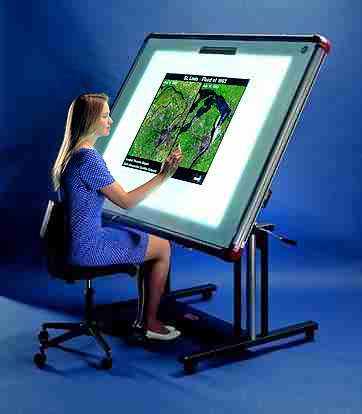
Digitizer is used for drawing new images or tracing old images. Usually. it is used for making maps and engineering drawings. A digitizer is also known as graphic tablet. It consists of a flat, rectangular board (or pad ) and an input device stylus or puck. Each location on the rectangular board points to corresponding positions on the computer screen. The Stylus or puck is connected to the board/pad by a wire.

Stylus looks like a pen. It is used for drawing images on a specially designed graphics screen or digitizer. Puck looks like a mouse. Puck is also called cursor. Usually, it is generally used for tracing old images
Software And Its Types

Software And Its Types


Software
Software tells the computer what to do and how to do. A computer performs different operations according to the instruction of software. Software is developed in a computer programming language.

Types of Software
Software can be classified into following two main categories or types
      1- System Software
      2- Application Software

System Software
A program or set of programs that is especially designed to control different operations of computer system is called system software. It controls the working of different components of the computer. The system also enables the other application programs to excute properly

Operating systems, utility programs, and device drivers are the examples of system software. Operating system is the main and most popular type of system software.

Application Software
A program or set of programs that are especially designed to solve the specific problems of users, are called application software. It is also known as software package

There are Different kinds of application software such as comercial software, scientific software, financial packages, Games, multimedia software.

Categories of Application software
The Application software is divided into two main categories
     1- Custom-built software
     2- Packaged software

Custom-built software
The software that is developed for a particular customer or organization is called custom-built software. It is also known as customized software. For example, software developed to  maintain the records of students of a particular collage is an example of custom-built software

Packaged Software
The software that is developed for sale to the general public is called packaged software. Packaged software is  used to solve some common problem of many people or users

Some examples of packaged software are ;
    1- Word processor such as MS-Word
    2- Spreadsheet such as MS-Excel
    3- Database software such as MS-Access
    4- Graphic software such as Adobe Photoshop and CorelDraw
    5- Communication Softwware such as Internet Explorer